
Corporate security teams face a silent and growing crisis. Every day, employees looking to work faster upload proprietary client documents, raw code repositories, confidential financial sheets, and sensitive product roadmaps to public cloud-based artificial intelligence web services.
This phenomenon, known as Shadow Cloud Processing, occurs when employees leverage unapproved, third-party web tools to automate simple text-summarization, transcription, or search tasks—unwittingly bypassing corporate IT governance, data retention mandates, and regulatory boundaries.
"If an employee is uploading a client brief or internal spreadsheet to an external web tool to save thirty minutes of formatting, they are casually publishing protected intellectual property to a third-party server."
Attempts to block these cloud services at the network firewall level often lead to employee frustration, driving users to seek workarounds on personal devices. A more sustainable path is to provide employees with useful automated capabilities that run locally on their hardware.
1. The Exposure Vector of Cloud-Based Data Processing
Most consumer-facing web models process user prompts by piping input data across the internet to their own servers. The risks of this centralized paradigm are severe:
- Data Leakage via Model Training: Many cloud-based web providers, by default, reserve the right to ingest user uploads to train and refine subsequent iterations of their models.
- Multi-Tenant Storage Vulnerabilities: Even if a provider promises not to train models on user data, the prompts are stored in their cloud databases, which remain vulnerable to hackers, misconfigured API accesses, and internal operator inspection.
- Loss of Client attorney-client or HIPAA Privilege: Passing confidential client data or protected health information (PHI) to third-party endpoints can undermine legal, contractual, or clinical protection requirements.
2. Securing the Workspace: Hardware-Isolated Local Smart Computing
The emergence of highly performant M-series Apple Silicon processors has enabled a complete architectural redesign. We no longer need to choose between data security and high-quality assistance.
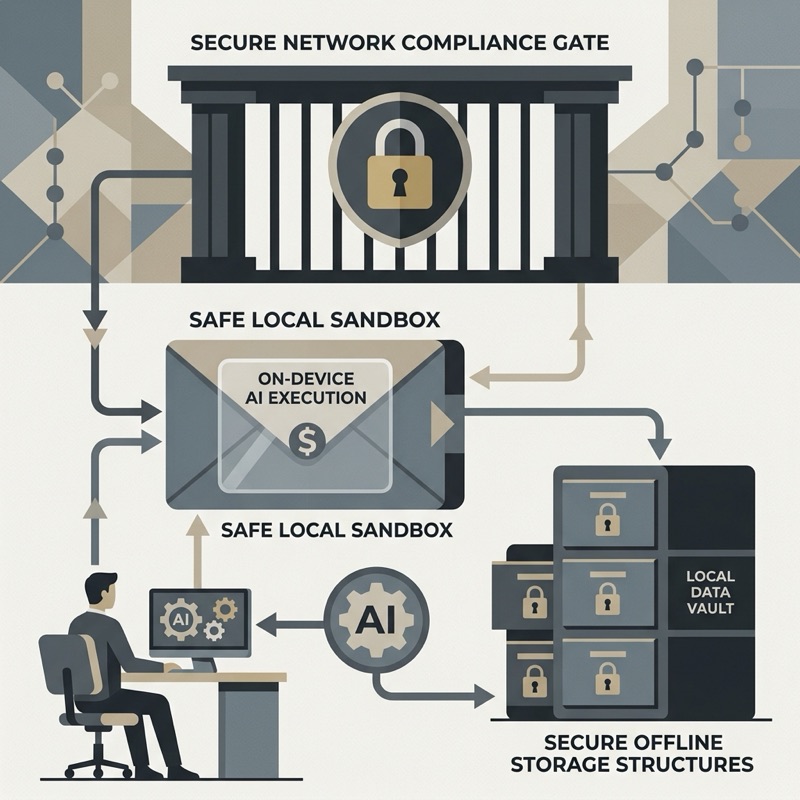
A local-first intelligence workspace brings models directly into macOS. Prompts, documents, active window audits, and meeting audio are processed by app-owned local runtimes:
Cryptographic Local Sovereignty
By keeping daily timelines, window activity metrics, and meeting transcripts inside a locally encrypted SQLCipher database secured by macOS Keychain keys, DaySpire keeps work content off DaySpire servers by default.
3. Establishing Secure Enterprise Governance
Adopting a local-first architecture allows companies to enforce clean smart compliance policies without restricting employee efficiency:
- Physical Isolation: Ensure all text search, audio transcription, and timecard summaries execute inside the app's own native process with no loopback TCP port exposures or local network dependencies.
- Audit Log Integrity: Maintain immutable local database logs that make billing details, task tags, and focus sessions reviewable without transmitting active timelines off-site.
- Dynamic Privacy Triggers: Implement native guardrails that automatically disable sensitive window captures for restricted applications (like patient databases or healthcare interfaces).
Conclusion: Security by Design
The solution to Shadow AI is not to ban automation, but to provide a secure, native workspace that operates as an architectural fortress. By bringing advanced speech and language intelligence directly onto the user's local Mac, organizations can protect their core intellectual capital while empowering their workforce with next-generation productivity tools.